
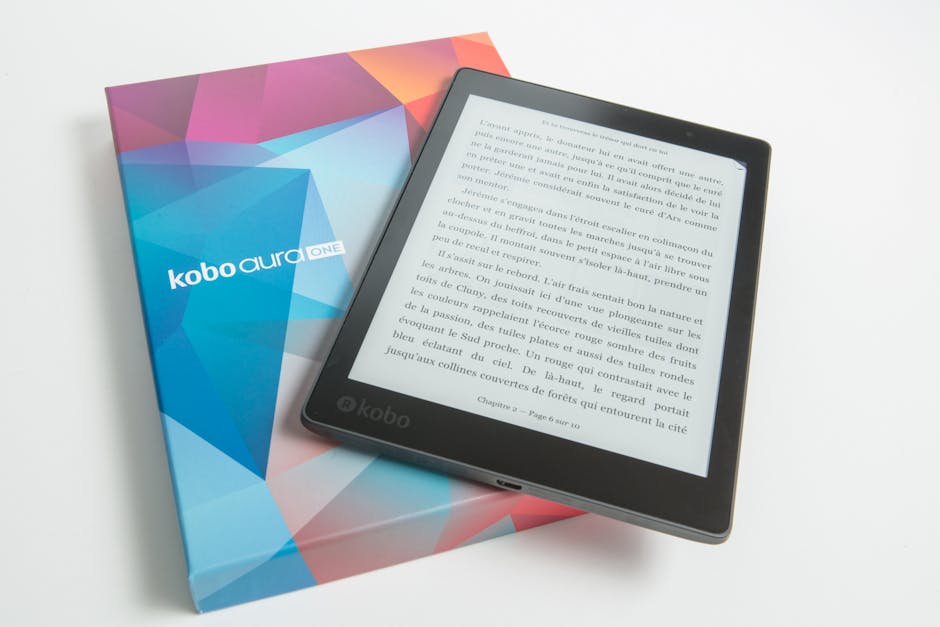
eBook design is way more than just slapping text on a digital page. A well-designed eBook includes a professional cover, properly formatted interior pages, readable typography, a clean table of contents, and styling that works across all devices. When you invest in solid eBook design, you're building trust with your audience before they even read the first chapter.
Why eBook Design Actually Matters
Here's the thing: people judge eBooks the same way they judge print books. A sloppy, poorly formatted eBook signals that you don't care about your content. A professionally designed one tells readers that you've put in the work.
Related: Book Layout: A Complete Guide to Professional Design
Related: Book Formatting: A Complete Guide to Professional Layout
Related: What Professional Book Editors Do: A Complete Guide
Good eBook design directly impacts engagement rates. Readers stay longer, they trust your message more, and they're way more likely to convert (whether that's buying something, signing up, or sharing your work). It's not just about looks. It's about creating an experience that feels intentional and professional.
The design process also affects how your eBook actually works. Different devices display eBooks differently. A poor design might look great on desktop but become a nightmare on a phone. Professional eBook design accounts for all of this upfront.
The Core Components of eBook Design
Most people think eBook design is just the cover. It's not. You need to design several interconnected pieces:
- Front Cover: Your first impression. It needs to grab attention and clearly communicate what the eBook is about.
- Back Cover: Space for a description, benefits, and call-to-action that motivates downloads.
- Title Page: Inside the eBook, a clean title page establishes credibility and sets the tone for what's coming.
- Table of Contents: Especially important for longer eBooks. It shows structure and helps readers navigate.
- Interior Pages: Consistent typography, margins, spacing, and formatting across all pages. This is where readability happens.
- Author Bio Page: A brief section at the end building connection with your audience.
- Call-to-Action Pages: Strategic placements that guide readers toward your next step (a website, email signup, product link).
Each component serves a purpose. Together, they create a cohesive, professional reading experience.
Typography and Readability in eBook Design
Font choice makes or breaks eBook readability. You want typefaces that work well at small sizes and across different screens. Sans-serif fonts like Arial, Helvetica, and Verdana are safe, readable choices. Serif fonts like Georgia work too, but they need careful sizing.
Font size matters hugely. eBook readers control their own text size, but your default should sit between 11-14pt for body text. Headers can be larger. Line spacing (the distance between lines) should give text room to breathe, usually 1.5 or double-spaced for comfort.
Color contrast is critical. Black text on white is safest and most readable. If you use colors, make sure there's strong contrast so text pops off the background. Light gray text on white? That's a readability killer.
Consistency is everything. Use the same fonts, sizes, and spacing throughout. Readers should be able to predict where they are in the eBook based on the visual hierarchy. If your headers look different on page 3 than page 15, you've broken that trust.
Choosing Design Tools and Templates

You have options depending on your budget and technical comfort level. Free tools like Canva and Adobe Express let you create professional-looking eBooks without hiring a designer. They offer 110+ editable templates across multiple genres, and you can customize them to match your brand.
The advantage of templates is speed. You're not starting from scratch. The disadvantage is that your eBook might look similar to someone else's if you don't customize it enough.
For more control, some authors use InDesign or similar professional design software. But these have steep learning curves and require design knowledge.
If you're publishing a business eBook or something that needs to look polished across multiple formats, Xcel Graphic Services handles the entire eBook conversion process, ensuring your design works flawlessly in EPUB, PDF, and other digital formats. They take the guesswork out of technical formatting.

Formatting for Different eBook Platforms
Not all eBooks are created equal. Amazon Kindle has different requirements than Apple Books or your own website. A professional eBook needs to adapt.
PDF is fixed-format. It looks the same everywhere but isn't as flexible for readers who want to adjust text size. EPUB is reflowable, meaning the text adapts to screen size. That's why EPUB is the standard for most eBook platforms.
Your images, fonts, and layout need to work in these formats. Some design choices that look perfect in a print layout completely break in EPUB. This is where many DIY eBook projects fall apart.
The timeline for creating a professional business eBook solo (research, writing, editing, design, revisions) typically runs 4-8 weeks. If you're also handling format conversion and testing across devices, add more time. This is why many authors and publishers work with specialists who understand both design and digital formatting from the ground up.
Building Visual Hierarchy and Flow
Your eBook needs to guide readers through the content. Visual hierarchy does that using size, color, spacing, and font weight.
Related: What Is an Ebook Maker? Complete Guide for Authors
Make your main headings large and bold. Subheadings smaller but still distinct. Body text should be the smallest, most readable size. This creates a visual roadmap that makes scanning and navigation intuitive.
White space matters. Don't cram text to every corner of the page. Margins, padding, and breathing room between sections make eBooks feel less overwhelming and actually more professional.
Lists, bullet points, and short paragraphs also improve flow. Long blocks of text intimidate readers. Breaking up content into digestible chunks keeps people engaged.
Cover Design Basics

Your eBook cover is essentially a marketing tool. It needs to stand out in search results and thumbnail views.
Include a compelling title. Make sure it's readable even at small sizes. Avoid busy backgrounds or fonts that are too decorative. Include your name or brand. Add a subtitle if it clarifies what the eBook offers.
Use color strategically. Bold, contrasting colors grab attention. Make sure your cover reflects the genre and tone of your content. A corporate training eBook should look different from a creative writing guide.
Test your cover at different sizes. If it looks like a blur when shrunk down, readers won't click on it. Many eBook platforms show covers as tiny thumbnails first.
Common eBook Design Mistakes to Avoid
Too many fonts. Stick to 1-2 maximum. Mixing 5 different typefaces looks chaotic.
Inconsistent spacing. If margins are tight on page 1 but loose on page 5, it feels unpolished. Create a template and use it consistently.
Poor image quality. Low-res images look terrible, especially on modern screens. Use high-quality images or don't use them at all.
Unreadable color combinations. Light yellow text on white. Dark blue on black. These might look edgy but they're painful to read.
Ignoring mobile viewing. Most eBook readers use phones or tablets. If your design doesn't work there, you've lost your audience.
Skipping proofreading. Typos and formatting errors in an eBook designed to look professional? That's damaging. Make sure text is edited and the layout is reviewed on actual devices before publishing.
Next Steps: Design, Format, and Publish
The path from designed eBook to published product involves several handoffs. You design the interior and cover. You format it for different platforms. You test it. You upload it to your distribution channel.
Each step introduces opportunities for things to go wrong: fonts that don't embed correctly, images that shift position, hyperlinks that break, tables that reflow strangely.
That's why many serious publishers and authors work with Xcel Graphic Services, which specializes in eBook conversion and production. They handle the technical side so your focus stays on content quality. They ensure your carefully designed eBook actually looks professional across all platforms and devices.
Whether you design it yourself or get professional help, remember: eBook design is an investment in how your audience experiences your work. It's worth getting right.
What's the difference between eBook design and print book design?
Print design is fixed-format. The layout, fonts, and images stay exactly as you designed them. eBook design is flexible. Text reflows based on screen size and reader preferences. eBooks also need to work across many different devices and apps, whereas print is just one physical product. This means eBook design requires different thinking about spacing, font sizes, and how elements interact.
Can I use the same cover for print and eBook?
The image can be similar, but technically they need different dimensions. Print book covers have spine width and back cover area. eBook covers are just a single rectangular image, usually 1600x2400 pixels or similar. You can design one cover concept and adapt it for both formats, but they're not identical files.
How do I know if my eBook design is working?
Test it on multiple devices: desktop, tablet, phone. Read it in different eBook apps like Kindle, Apple Books, and Adobe Digital Editions. Check that text is readable, images display correctly, spacing is consistent, and navigation (table of contents, links) works smoothly. Ask beta readers for feedback on how the design affects their reading experience, not just the content itself.
Do I need to hire a designer for eBook design?
It depends on your budget and the importance of the eBook to your business. Free tools like Canva can produce solid results if you're willing to spend time customizing templates. If your eBook is core to your brand or a major revenue channel, professional design is a worthwhile investment. Professional designers (and publishing specialists) also understand the technical requirements of eBook formatting, which DIY tools sometimes miss.
Frequently Asked Questions
What's the difference between eBook design and print book design?
Print design is fixed-format. The layout, fonts, and images stay exactly as you designed them. eBook design is flexible. Text reflows based on screen size and reader preferences. eBooks also need to work across many different devices and apps, whereas print is just one physical product. This means eBook design requires different thinking about spacing, font sizes, and how elements interact.
Can I use the same cover for print and eBook?
The image can be similar, but technically they need different dimensions. Print book covers have spine width and back cover area. eBook covers are just a single rectangular image, usually 1600x2400 pixels or similar. You can design one cover concept and adapt it for both formats, but they're not identical files.
How do I know if my eBook design is working?
Test it on multiple devices: desktop, tablet, phone. Read it in different eBook apps like Kindle, Apple Books, and Adobe Digital Editions. Check that text is readable, images display correctly, spacing is consistent, and navigation (table of contents, links) works smoothly. Ask beta readers for feedback on how the design affects their reading experience, not just the content itself.
Do I need to hire a designer for eBook design?
It depends on your budget and the importance of the eBook to your business. Free tools like Canva can produce solid results if you're willing to spend time customizing templates. If your eBook is core to your brand or a major revenue channel, professional design is a worthwhile investment. Professional designers (and publishing specialists) also understand the technical requirements of eBook formatting, which DIY tools sometimes miss.