
Converting a textbook into an eLearning module isn't just about uploading PDF pages to a screen. You're reshaping how learners interact with material, pacing their progress, and building engagement into every section. The good news? There's a proven framework that makes this work.
If you're managing this conversion for a school, corporate training program, or publisher, you'll want to understand each step before you dive in. Skipping any of these stages usually means rework, frustrated learners, or content that doesn't actually teach what it's supposed to.
Step 1: Analyze Your Textbook Content
Before you touch any conversion tools, read through your textbook like you're a student, not an editor. What's working? What's confusing? Which chapters feel dense, and which flow naturally?
This analysis phase is critical because not everything in a textbook translates smoothly to digital. Dense academic paragraphs that work on a printed page can overwhelm learners on a screen. Sidebars, callout boxes, and full-page illustrations need reimagining.
Look for:
- Sections that need to be broken into smaller chunks
- Complex diagrams that might work better as interactive visuals
- Case studies or examples that could become branching scenarios
- Review questions that can be repurposed as quizzes
- Vocabulary or key terms that need glossary support
Your goal here is to map what stays, what needs to change, and what you might add to make the content interactive. This foundation prevents you from wasting time later trying to force textbook layouts into a digital learning experience.
Step 2: Define Clear Learning Objectives
You need to know what learners should be able to do after completing your module. Not what they should know, but what they should be able to do.
This matters because textbooks are often organized by topic, not by learning outcome. A chapter on photosynthesis might teach biology facts, but your eLearning module could focus on helping a student predict how light affects plant growth. That's a different structure entirely.
Write objectives using this framework:
- "After this module, learners will be able to [action verb] [specific content] [in context]"
- Examples: "Identify the stages of mitosis in plant cells," "Calculate NPV for investment scenarios," or "Apply design thinking to solve a customer problem"
When you're clear on these outcomes, you can strip away textbook content that doesn't serve them and add exercises that do. This keeps your modules focused and measurable.
Step 3: Choose Your Course Format
This is where you decide how learners will actually experience your content. The format shapes everything that comes next.
Common formats include:
- Interactive modules: Learners read content, click through interactions, and answer knowledge checks. Good for foundational knowledge and compliance training.
- Video-based courses: Instructor or screen-capture videos with supplemental readings and quizzes. Works well for procedural content and skill-building.
- Simulation-based learning: Learners practice applying knowledge in a safe, virtual environment. Ideal for technical skills, customer service, or clinical training.
- Microlearning: Bite-sized lessons (5-15 minutes) focused on one concept. Perfect for busy professionals or mobile learners.
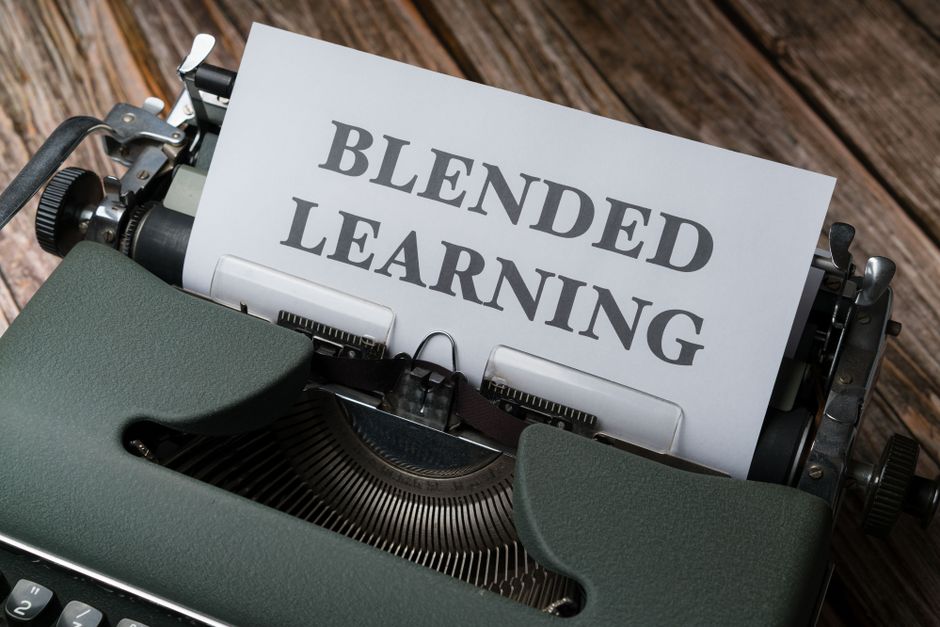
- Blended approaches: Combine multiple formats. A module might have video lectures, interactive activities, and a discussion forum.
Your choice depends on the content type, your learners' preferences, and your budget. A dense economics textbook might work best as video lectures with interactive problem sets. A product manual could become a simulation where learners practice using features. A compliance course might be microlearning modules with final assessments.
Step 4: Plan Your Course Structure
Now you're mapping how your chosen format will flow. This is different from the textbook's chapter structure.
Create a storyboard or outline that shows:
- How many modules you'll have (and how long each is)
- What content goes in each section
- Where interactive elements live (quizzes, simulations, discussions)
- How learners navigate between sections
- What resources they can access (glossaries, job aids, references)
- How progress is tracked and assessed
This planning step is where you decide whether your modules are linear (learners go through in order) or non-linear (learners can jump around). It's also where you identify what textbook material gets cut, condensed, or expanded.
One common mistake: assuming the textbook's order is the best learning order. It often isn't. You might need to introduce concepts differently in a digital environment, scaffold practice differently, or surface prerequisites earlier.
Step 5: Execute Implementation and Integration
With your roadmap ready, you'll need tools and systems to bring this to life. Most organizations use a Learning Management System (LMS) to host and track courses, plus authoring tools to build the actual content.
Cloud-based authoring platforms make this simpler by letting you create interactive content without coding. These tools handle branching scenarios, quizzes, multimedia embedding, and SCORM compatibility (the format that talks to most LMS platforms).
During implementation, you'll be:
- Writing and editing content in your chosen format
- Creating or sourcing visuals, videos, and interactive elements
- Building quizzes and assessments aligned to your learning objectives
- Configuring LMS settings (enrollment, tracking, reporting)
- Testing everything before launch (all links, all interactions, all quiz logic)
- Gathering feedback from pilot learners and iterating
This phase is where the real work happens. You're transforming static textbook material into an active learning experience. Quality here pays off in engagement and outcomes.
Outsourcing vs. Doing It Yourself
You might have the expertise to handle this conversion in-house. You'll save money and keep full control. But there are trade-offs.
Building eLearning courses requires skills in instructional design, multimedia production, and platform management. If your team lacks experience, conversions often take longer, quality suffers, or learners end up with a digital version of a textbook instead of true eLearning.
Many publishers and organizations bring in professional support for complex or high-stakes content. Xcel Graphic Services specializes in publishing production, including eBook conversion and digital format preparation that can support your broader eLearning strategy, especially if you're managing multiple titles or need polished, standards-compliant digital outputs.

Whether you go solo or partner with specialists, the 5-step framework above applies. You're still analyzing, defining outcomes, choosing format, planning, and executing.
Making Your Modules Interactive and Engaging

This is the moment where eLearning becomes more than just a digital textbook.
Static text on a screen doesn't stick. Interactions do. That's why thoughtful eLearning modules include:
- Branching scenarios: Learners make choices and see consequences, reinforcing decision-making skills
- Knowledge checks: Quick quizzes after each section so learners test themselves immediately
- Interactive infographics: Learners hover, click, or drag to explore diagrams and concepts
- Discussion forums or peer activities: Learners apply concepts in conversation, deepening understanding
- Microlearning gamification: Points, badges, or progress bars keep motivation up
- Real-world simulations: Learners practice skills in safe environments
These aren't add-ons. They're the substance of good eLearning. Each interaction should serve a learning objective, not just look fancy.
LMS Selection and Integration
Your Learning Management System is where learners log in, access courses, complete activities, and get tracked. It's the delivery platform that makes everything else possible.
When choosing an LMS, consider:
- Ease of use: Can instructors upload courses without technical support?
- Learner experience: Is it intuitive for your audience? Mobile-friendly?
- Integration capability: Does it connect to your other business systems (HR databases, customer platforms, etc.)?
- Reporting: Can you see which learners completed modules, how they performed on assessments, and where they're struggling?
- Standards compliance: Does it support SCORM or xAPI so your courses work across platforms?
- Scalability: Can it grow with your learner base without performance issues?
Your LMS choice affects how easily you can deploy, update, and measure the success of your converted textbook modules.
Automation and Efficiency
Converting an entire textbook takes time. But some repetitive tasks can be automated to speed up the process.
For example, if you're converting multiple textbooks or courses, you might use automation platforms to:
- Extract and format text from PDFs automatically
- Generate basic quizzes from key terms and review questions
- Assemble modules from templates and reusable components
- Trigger notifications and emails based on learner progress
- Sync enrollment data between your LMS and other systems
These tools won't replace instructional design or quality control, but they eliminate manual grunt work and let your team focus on what matters: creating learning experiences that work.
The key is not to let automation drive your decisions. Choose tools that support your learning objectives and learner needs, not the other way around.
Common Pitfalls to Avoid
Most textbook-to-eLearning conversions fail for the same reasons.
Mistake 1: Digitizing instead of converting. Simply uploading PDFs or moving text to a web page isn't eLearning. You're creating a digital textbook, not a learning experience. Learners won't engage, and outcomes won't improve.
Mistake 2: Ignoring the audience. A format that works for corporate onboarding won't work for undergraduate biology. Know who your learners are, how much time they have, what devices they use, and what they need to accomplish.
Mistake 3: Skipping learning objectives. Without clear objectives, you end up converting every word in the textbook. You should be condensing, cutting, and reorganizing to focus on what learners actually need to learn.
Mistake 4: No feedback or assessment. Learners need to know if they're on track. Build in quizzes, activities, and feedback loops so they can self-correct and build confidence.
Mistake 5: One-size-fits-all approach. Different content requires different treatments. A procedures manual needs a different structure than a conceptual economics course. Match your format to your content, not the other way around.
If you're managing a complex conversion project with multiple stakeholders or need production support to prepare your content for digital delivery, Xcel Graphic Services can help streamline the technical side so your team stays focused on instructional design and learning outcomes.
Measuring Success
After you launch, you need to know if your conversion actually worked.
Measure success with metrics like:
- Completion rates: Are learners finishing modules they start?
- Assessment performance: Are learners passing quizzes and demonstrating mastery?
- Time to completion: How long does it take? Is that in line with your estimates?
- Learner satisfaction: Do surveys or reviews show learners found it useful and engaging?
- On-the-job application: Are learners actually using what they learned in their work or studies?
- Knowledge retention: If you test again after a few weeks, do learners remember the material?
These metrics tell you what's working and where to improve in the next iteration. Your first conversion probably won't be perfect. That's expected. Use data to make it better.
How long does it take to convert a textbook to eLearning?
It depends on the textbook's length, your team's experience, and how interactive you want the modules to be. A simple conversion with minimal interactivity might take a few weeks for a single course. Complex conversions with simulations, custom graphics, and extensive testing can take several months. Budget accordingly and don't rush quality.
Do I need to hire instructional designers?
If you or your team have experience building courses, you might not. But instructional designers bring expertise in structuring content for learning, creating engaging interactions, and measuring outcomes. For high-stakes or complex content, their involvement usually improves results and saves time in the long run.
What's the best authoring tool for textbook conversion?
The best tool depends on your team's skills, budget, and technical requirements. Cloud-based authoring platforms are easier to learn and require no IT infrastructure. Look for tools that support interactivity, SCORM standards, and collaboration so your team can work together efficiently.
Can I use the same LMS for all my courses?
Most organizations use a single LMS across all courses for consistency and simplified management. However, some organizations use different platforms for different purposes (corporate training vs. academic courses, for example). One platform is usually simpler and more cost-effective, but evaluate your specific needs before deciding.
Frequently Asked Questions
How long does it take to convert a textbook to eLearning?
It depends on the textbook's length, your team's experience, and how interactive you want the modules to be. A simple conversion with minimal interactivity might take a few weeks for a single course. Complex conversions with simulations, custom graphics, and extensive testing can take several months. Budget accordingly and don't rush quality.
Do I need to hire instructional designers?
If you or your team have experience building courses, you might not. But instructional designers bring expertise in structuring content for learning, creating engaging interactions, and measuring outcomes. For high-stakes or complex content, their involvement usually improves results and saves time in the long run.
What's the best authoring tool for textbook conversion?
The best tool depends on your team's skills, budget, and technical requirements. Cloud-based authoring platforms are easier to learn and require no IT infrastructure. Look for tools that support interactivity, SCORM standards, and collaboration so your team can work together efficiently.
Can I use the same LMS for all my courses?
Most organizations use a single LMS across all courses for consistency and simplified management. However, some organizations use different platforms for different purposes (corporate training vs. academic courses, for example). One platform is usually simpler and more cost-effective, but evaluate your specific needs before deciding.