Making a book online sounds intimidating, but it's not. You can create, design, and publish a book entirely through digital tools and platforms. Whether you're writing a novel, a business guide, or a photo book, the process is more straightforward than you'd think.
What It Really Means to Make a Book Online
When you make a book online, you're using digital platforms and tools to handle the work that traditionally happened in printing offices. You write your content, format it, design the layout, and then either print physical copies or release it as a digital file.
The beauty of this approach is that you don't need to work with a traditional publisher. You don't need a printing press in your garage. You just need a computer and access to the right tools.
Start With Your Content and Format
Before you touch any design tool, your manuscript needs to be ready. That means it should be written, edited, and proofread. A lot of authors skip the editing step, which is a mistake. Typos and weak sentences make your book look unprofessional, even if the cover is gorgeous.
Related: What Is Book Editing? A Complete Guide for Authors
Related: Standard Book Sizes: Complete Guide for Publishers & Authors
Your manuscript should be in a clean, simple format when you begin. Most authors work in a word processor like Microsoft Word or Google Docs. That's fine. When you're ready to move to the next step, you can export your file and upload it to your book platform.
If your manuscript needs serious editorial work, you might want to bring in a professional editor before you invest time in design and layout. Xcel Graphic Services handles copyediting and proofreading so your words are polished before they ever reach a reader.

Choose Between Template-Based and Custom Design
Most online book platforms offer two design paths: templates or custom uploads.
Template-based design is the fastest route. These platforms come with pre-built layouts for different book types. You pick a template that matches your genre or style, drop in your text, adjust colors and fonts, and you're basically done. Templates work well if you want speed and don't mind a design that's already been used by other authors.
Custom design gives you more control. You upload your own formatted files, or you work with a designer to create a unique layout. This takes longer but results in a book that looks exactly how you want it. If your book is competing in a crowded genre, custom design can help it stand out.
The formatting step is where a lot of authors get stuck. Converting a Word document into a proper book layout requires attention to margins, spacing, font consistency, and page breaks. If formatting isn't your thing, professional typesetting services can handle it. Xcel Graphic Services specializes in typesetting and can transform your manuscript into a professionally laid-out file ready for print or digital release.
Decide Between Print and Digital (or Both)

You can make a book online that exists only as a digital file, only as a printed book, or both at the same time.
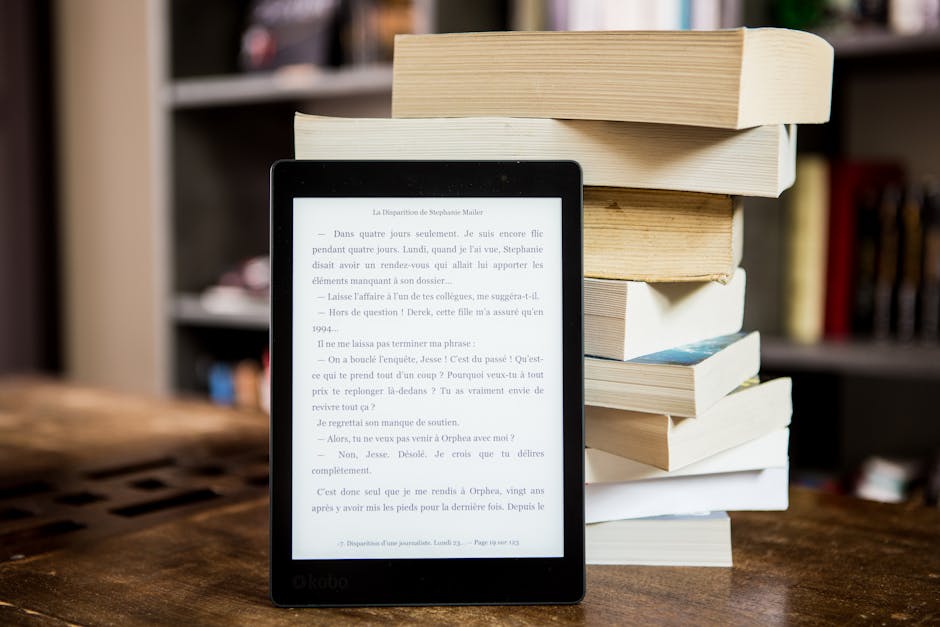
Digital books (eBooks) are cheap to produce and have no inventory cost. You upload your file once and sell unlimited copies. Readers download them to their devices and read them in an app or e-reader. Digital books work great for fiction, business guides, and educational content.
Print books are physical copies that ship to readers' doors. Online platforms handle this through print-on-demand, which means each book is printed only when someone orders it. No warehouse full of inventory. No risk of unsold stock. You pay per copy printed, and your profit margin depends on how many copies sell.
Many authors do both. They release the eBook first to build momentum, then follow up with a printed edition for readers who prefer paper. This approach maximizes your audience because different readers have different preferences.
Handle the Technical Details
Making a book online involves a few technical requirements that vary by platform, but they're pretty standard.
Your file format matters. For eBooks, you'll typically need a PDF, EPUB, or MOBI file. For print books, PDF is almost always required. These formats preserve your layout and make sure your book looks the same on every device or printer.
Image resolution is critical for print books. If your book has photos, illustrations, or graphics, they need to be high resolution (at least 300 DPI). Low-resolution images will look blurry when printed. This is one of the most common mistakes authors make.
Color or black-and-white. Print books cost more if you use full color throughout. Many authors choose black-and-white interior with a full-color cover as a compromise.
File size matters for eBooks. Large files take longer to download and can frustrate readers. Compressing images and removing unnecessary formatting helps here.
Set Up Your Distribution
Once your book is ready, you need to get it into readers' hands. Online platforms handle distribution differently.
Some platforms give you built-in sales channels. You upload your book, they list it on their marketplace, and you earn a commission when it sells. This is simple but means you're competing with thousands of other books in the same store.
Other platforms let you download your file and distribute it wherever you want. You can upload to multiple retailers, your own website, or send it directly to readers. This approach gives you more freedom but requires more hustle from you.
Most successful authors use both strategies. They upload to multiple platforms for maximum reach while also promoting their book on their own website or mailing list.
Don't Skip Proofreading Before You Publish

A typo looks ten times worse in print than it does in a Word document. Before you hit publish, read through your book at least twice. Better yet, have someone else read it.
Professional proofreading catches things your eyes miss. Formatting errors, inconsistent spacing, missing page numbers, broken links in eBooks. These small issues add up and make your book look careless. If your book represents your business or expertise, investing in proofreading is worth it. Xcel Graphic Services offers proofreading services that go through your final files with a fine-tooth comb.
Consider eBook Conversion if You Have a Unique Design
If you've designed a beautiful print book with a complex layout, photos, and graphics, converting that to a proper eBook file takes special care. eBooks can't handle the same level of design complexity as print books because screens are different sizes.
eBook conversion means taking your beautifully designed PDF and reformatting it so it works on phones, tablets, and e-readers. Text needs to reflow properly. Images need to scale. Interactive elements need to function. This is technical work that benefits from professional experience. If your book is image-heavy or has a non-standard layout, professional eBook conversion ensures readers get a good experience on their devices.
People Also Ask
Can I make a book online for free?
Yes, many platforms offer free tools to create and design books. You typically pay only if you print physical copies or set up distribution. Free templates and basic formatting tools make this possible. However, if your book needs professional editing, typesetting, or design work, those services come with a cost.
How long does it take to make a book online?
It depends on your book's length, complexity, and how much of the work you do yourself. A simple eBook with a template can be ready in a few days. A full-color print book with custom design and professional typesetting might take weeks. Most authors spend anywhere from a few days to a few weeks on the entire process.
Do I need design experience to make a book online?
No. Template-based platforms are designed for people without design skills. You don't need to know anything about fonts, layout theory, or color theory. Just pick what looks good to you and adjust as needed. If you want a more professional result, hiring a designer or using a professional typesetting service moves things to the next level.
Can I update my book after it's published?
Yes. For eBooks, you can usually update your file and re-upload it. For print-on-demand books, you can update the file whenever you want. Future copies will print from the new version. Existing copies that readers already bought won't change, but new orders will reflect your updates. This makes it easy to fix errors or make improvements over time.