Multilingual manuscript typesetting for publishers is far more than just copying text into a design template and changing fonts. It's a technical, linguistic, and cultural process that requires expertise in everything from right-to-left script composition to Asian character spacing rules.
If you're publishing content in multiple languages, you need to understand what makes this type of project different from single-language work. The stakes are high—errors in typesetting can undermine credibility, confuse readers, and damage your brand across international markets.
Here's what you need to know about getting multilingual typesetting right, and why working with a specialist matters more than you might think.
Why Multilingual Typesetting Demands Specialized Expertise
Most desktop publishing software treats all text the same way. You drop words in, apply a font, and call it done. That approach fails spectacularly with multilingual content.
Different writing systems have completely different rules. Arabic reads right to left. Chinese characters require precise spacing to avoid colliding. Devanagari (used for Hindi and Sanskrit) has complex diacritical marks that sit above, below, and through base letters. If your typesetter doesn't understand these systems, your manuscript won't just look wrong—it will be functionally broken.
Related: Preparing a Manuscript for Typesetting: A Complete Guide
Related: Textbook to LMS Conversion for Publishers: A Complete Guide
The problem gets worse when you're working with bilingual layouts. You can't just shrink one language and bump another to the side. You need thoughtful design that respects the reading flow, line length, and visual weight of each language. A professional typesetter knows how to balance this so no language feels secondary or cramped.
The Critical Role of Specialist Fonts in Multilingual Publishing
Generic font families won't cut it for multilingual work. Yes, some fonts claim to support "multiple languages," but support and actual readability are two different things.
A font that works beautifully for English might have weak coverage for Arabic diacritics. Another might include Chinese characters but lack proper kerning (spacing adjustments between letter pairs). When you're publishing in multiple languages, each language deserves a font specifically designed or optimized for that script.
Professional typesetters maintain deep knowledge of which fonts work best for which languages and contexts. They know which typefaces handle Vietnamese tone marks cleanly, which ones render Cyrillic with proper weight and proportion, and which fonts balance readability across both print and digital formats.
Choosing the wrong font isn't just an aesthetic misstep—it can make your text harder to read and signal to international audiences that you didn't invest care in their experience.
Understanding Right-to-Left and Complex Script Typesetting
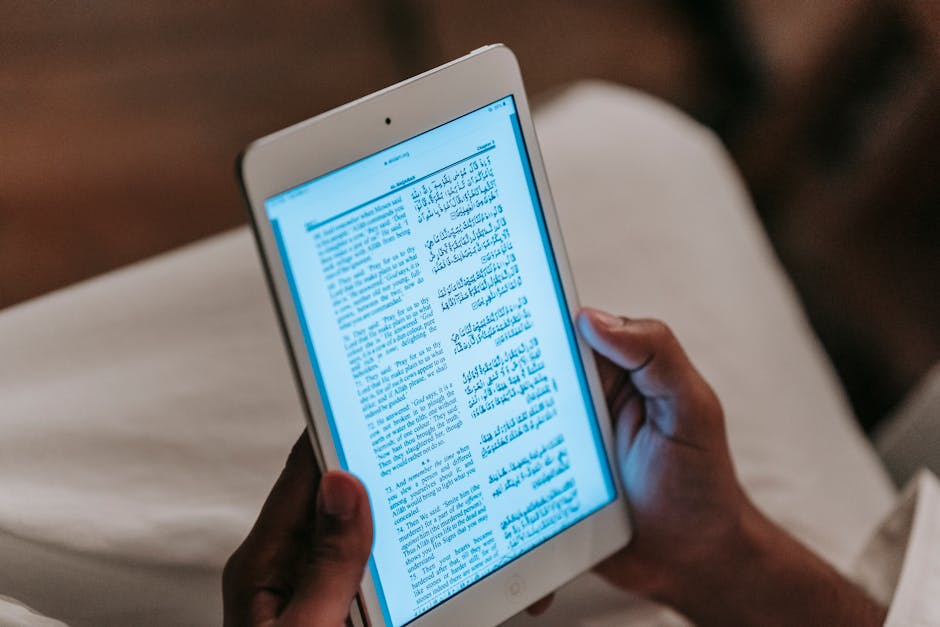
If you're typesetting Arabic, Urdu, Hebrew, or Persian, you're dealing with right-to-left (RTL) composition. This isn't a simple mirror flip of English layout.
RTL typesetting affects everything: paragraph alignment, text direction, punctuation placement, and how footnotes anchor to the page. Numbers can flow left to right even when the surrounding text flows right to left, which creates additional complexity. Margins reverse. Indentation logic inverts.
Standard typesetting software doesn't handle this automatically. You need a typesetter who has worked extensively with RTL languages and understands the nuances of proper composition. Xcel Graphic Services specializes in handling these technical requirements, ensuring that RTL manuscripts are typeset with the same professional polish as any English-language publication.

The same level of expertise applies to scripts like Devanagari, Thai, Khmer, and other complex writing systems where character shaping, combining marks, and spacing rules differ fundamentally from Latin-based text.
Managing Multiple Languages in a Single Document

Sometimes you're not publishing separate editions for each language. Instead, you're creating a single document that includes parallel text, translation notes, or side-by-side content in two or more languages.
This scenario introduces unique challenges. How do you handle line breaks when one language version is longer than another? How do you maintain visual hierarchy when font sizes need adjustment for readability across different scripts? What happens when you need footnotes or end notes to link to text in multiple directions?
A typesetter experienced in bilingual or multilingual layouts knows how to plan these decisions from the start. They'll establish a grid system that accommodates both languages, choose font pairings that look intentional together, and build in flexibility for text expansion without breaking the design.
Asian Languages and Specialized Composition Rules
Chinese, Japanese, and Korean typesetting each bring their own technical demands. These languages use character sets that can number in the thousands, and the spacing and composition rules are fundamentally different from European languages.
In Chinese, certain punctuation marks occupy half-width spaces by convention. Japanese requires handling of three different writing systems (hiragana, katakana, and kanji) often within the same sentence. Korean Hangul composition interacts with punctuation and spacing in ways that standard Western typography doesn't anticipate.
Professional typesetters who work with Asian languages understand these conventions and build them into their workflow. They know which fonts deliver proper character rendering, how to handle vertical typesetting (still common in certain Japanese and Korean contexts), and how to adjust spacing for optimal readability.
Coordinating Typesetting With Multilingual Editing
Before text reaches the typesetting stage, it should already be edited and proofread in each language. This is where preparation makes a huge difference.
When you work with a publishing production partner, you want someone who can coordinate across typesetting, copyediting, and proofreading. Ideally, your editor catches linguistic issues, then your typesetter refines the visual presentation. These roles overlap slightly, and having them communicate ensures that corrections don't get lost in translation.
A manuscript that arrives at typesetting already polished in each language moves faster and costs less. Errors introduced during typesetting—text conversion failures, accidental character substitution, formatting that corrupts diacritical marks—become much easier to catch and prevent when you have expert linguists and typesetters working in sync.
Digital Publishing Formats and Multilingual Challenges

Print typesetting and digital typesetting aren't the same process. When your multilingual manuscript needs to become an eBook, you're facing a whole new set of constraints.
E-readers display text differently than PDF. Font rendering can shift from device to device. Text reflowing—where line breaks change based on reader font size preferences—can disrupt careful bilingual alignment. Right-to-left text support varies across platforms. Some e-reader platforms handle complex scripts poorly.
A professional typesetter who handles digital formats knows how to prepare multilingual manuscripts for eBook conversion without losing the integrity of either language. They understand which formatting choices port well to EPUB and other digital formats, and which ones break during conversion.
Building a Workflow That Works for Multilingual Publishing
The typesetting phase doesn't exist in isolation. It's one stage in a larger publishing workflow.
Smart publishers establish clear handoffs between translation, editing, typesetting, and proofreading. They define which language goes where on the page. They decide whether footnotes appear at the page bottom, chapter end, or book end. They specify font choices before typesetting starts, not after.
This planning saves time and money. Vague briefs lead to rework. Unclear language priorities lead to design decisions that don't serve your readers. Strong communication between your editorial team and your typesetter prevents these problems.
If you're managing multilingual content production, Xcel Graphic Services can guide you through the technical requirements so you focus on the editorial side. Their team understands the full production pipeline and knows where multilingual complexity lives.
Common Mistakes to Avoid in Multilingual Typesetting
Assuming one font works for all languages is mistake number one. Don't do it.
Underestimating timeline is mistake number two. Multilingual projects take longer. Text conversion, font testing, script-specific spacing adjustments, and language-specific proofreading all add time. If you're on a tight deadline, flag this early with your typesetter.
Skipping comprehensive proofreading in each language is mistake number three. Typesetting errors might not be obvious if you don't read that language fluently. Always have native speakers or language professionals review the final typeset manuscript.
Leaving font decisions to chance is mistake number four. Choose fonts intentionally, test them with your actual content, and verify they render correctly across the platforms where your book will appear (print, PDF, eBook, or web).
Finally, don't treat multilingual typesetting as a "nice to have" refinement. It's a core production step that directly impacts how readers experience your content. Quality multilingual typesetting signals respect for your international audience and builds confidence in your publication.
What to Look For in a Multilingual Typesetting Partner
You want a partner who has real experience with your specific languages and formats. Someone who can explain the technical requirements clearly, not hide behind jargon.
Look for demonstrated expertise with right-to-left scripts if that's relevant to your project. Ask about their font library and whether they license fonts for the languages you need. Check whether they handle digital formats and eBook conversion, or if that's a separate service you'll manage elsewhere.
A good multilingual typesetter also manages expectations transparently. They'll tell you what's possible within your budget and timeline, and they'll flag issues early rather than delivering surprises at the end.
People Also Ask
What's the difference between multilingual typesetting and translation?
Translation converts content from one language to another. Typesetting prepares text—in any language—for visual presentation on a page or screen. You can have perfectly translated text that looks terrible if the typesetting doesn't account for that language's specific requirements. Both services matter, but they're distinct.
Can I use standard design software for multilingual typesetting?
Standard design software like Adobe InDesign can handle some multilingual work, especially if you're working with only two or three languages. However, specialized knowledge is still required—choosing correct fonts, managing RTL composition, handling complex scripts, and testing across platforms all demand expertise. Software is a tool; expertise is what makes the difference.
How long does multilingual typesetting typically take?
Timeline depends on manuscript length, number of languages, complexity of scripts, and whether you're also doing editing and proofreading. A 300-page bilingual manuscript will take significantly longer than a 100-page single-language book. Discuss timeline early with your typesetter so expectations align.
Do I need to provide separate files for each language?
Not always. Sometimes a single source file with multilingual content is easier. Other times, separate language files are cleaner. Your typesetter will advise you on the best approach based on your project structure and final format requirements.
Frequently Asked Questions
What's the difference between multilingual typesetting and translation?
Translation converts content from one language to another. Typesetting prepares text—in any language—for visual presentation on a page or screen. You can have perfectly translated text that looks terrible if the typesetting doesn't account for that language's specific requirements. Both services matter, but they're distinct.
Can I use standard design software for multilingual typesetting?
Standard design software like Adobe InDesign can handle some multilingual work, especially if you're working with only two or three languages. However, specialized knowledge is still required—choosing correct fonts, managing RTL composition, handling complex scripts, and testing across platforms all demand expertise. Software is a tool; expertise is what makes the difference.
How long does multilingual typesetting typically take?
Timeline depends on manuscript length, number of languages, complexity of scripts, and whether you're also doing editing and proofreading. A 300-page bilingual manuscript will take significantly longer than a 100-page single-language book. Discuss timeline early with your typesetter so expectations align.
Do I need to provide separate files for each language?
Not always. Sometimes a single source file with multilingual content is easier. Other times, separate language files are cleaner. Your typesetter will advise you on the best approach based on your project structure and final format requirements.